
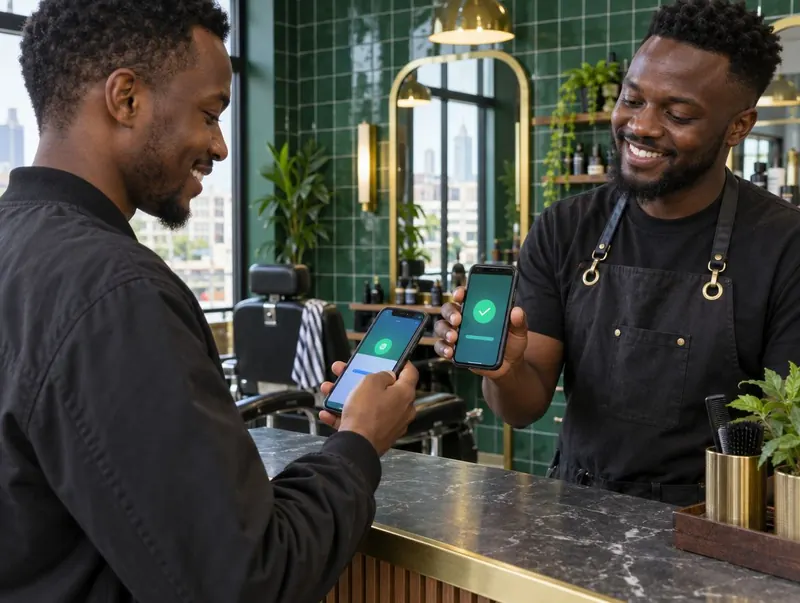
One payment needs one clear explanation.
Start with the service record: customer, service, amount and barber. Then attach the payment method and the reference needed to find the money. A customer paying for two people needs a clear allocation, not two full-value copies of the same receipt.
KinyoziHQ records M-Pesa alongside cash and card payments and matches them to services and barbers. It gives the owner a record of who did the work as well as how the customer paid. Ask us to demonstrate the connection and correction process for your own payment setup.
If your immediate problem is entering sales consistently, begin with the POS workflow. Payment matching cannot fix a haircut that nobody recorded.
Recording M-Pesa is different from connecting a till
A payment-method label records how a customer paid. An automatic connection also needs a supported till or payment arrangement and a way to receive and match transaction data. This page does not confirm an automatic connection for every till.
In the demo, establish whether references are entered manually or imported, which setup steps and charges apply, and how duplicate, reversed or unmatched payments are corrected. Include those answers in your written quote.
Count cash without treating the float as income.
The cash you started with is not a sale. Nor is money you added to buy supplies. Record those movements separately so you can explain the amount left in the drawer.
A practical check is: opening float + cash received − approved cash payments − cash removed or banked = expected closing cash. Count the actual cash and write down any difference. Keep evidence for each payment out instead of trying to reconstruct it from memory the next morning.
Do the equivalent payment check against your M-Pesa records. Transfers out of the till, fees, refunds and settlement timing can make the closing balance different from gross customer receipts. Compare like with like before calling a difference a missing sale.
Keep an exceptions list, not a blame list.
When a payment will not match, write down what is known and what is still missing. The customer may have paid the wrong amount, a staff member may have chosen the wrong method, or the reference may belong to another sale.
- Unmatched receipt: find the service before assigning a barber.
- Unpaid service: check the payment method and whether the customer owes a balance.
- Duplicate record: correct the duplicate rather than inflating the day’s sales.
- Refund: record the reversal and apply the agreed commission rule.
A discrepancy deserves investigation. It is not, by itself, proof that a member of staff stole money. Clear records help you have a specific conversation instead of an accusation.
A short routine you can repeat every evening.
- Confirm that every completed service has been entered.
- Check the totals by payment method.
- Match M-Pesa receipts and count the cash.
- Record withdrawals, expenses and unresolved differences.
- Review the barber totals before settling commissions.
Download the daily sales and cash-up template if you want to try the routine on paper first. The commission example shows why refunds and advances should stay visible when you work out pay.
For owners who are away from the shop, the same checks form part of remote and branch management. Seeing a dashboard is useful; agreeing who resolves each unexplained difference makes it usable.
Payment records, booking history and reports are connected within the wider KinyoziHQ system.
Questions worth asking
Does an M-Pesa receipt replace the sales record?
It shows a payment, but the shop also needs to know what was sold and who provided the service. Keep the transaction reference connected to the service rather than relying on the payment message alone.
Can I track cash and M-Pesa together?
Yes. KinyoziHQ records both payment methods. Keep their closing checks separate so a cash shortage is not hidden by an unrelated M-Pesa receipt.
Do you publish a fixed M-Pesa integration fee?
No fixed integration tariff is published here. Discuss your till or payment setup and ask for a written explanation of setup, subscription and any payment-related charges during the demo.
Follow one payment all the way through.
We’ll show a service, its payment and the barber’s earnings in the demo, then discuss how your shop would use the same workflow.
See payment tracking