
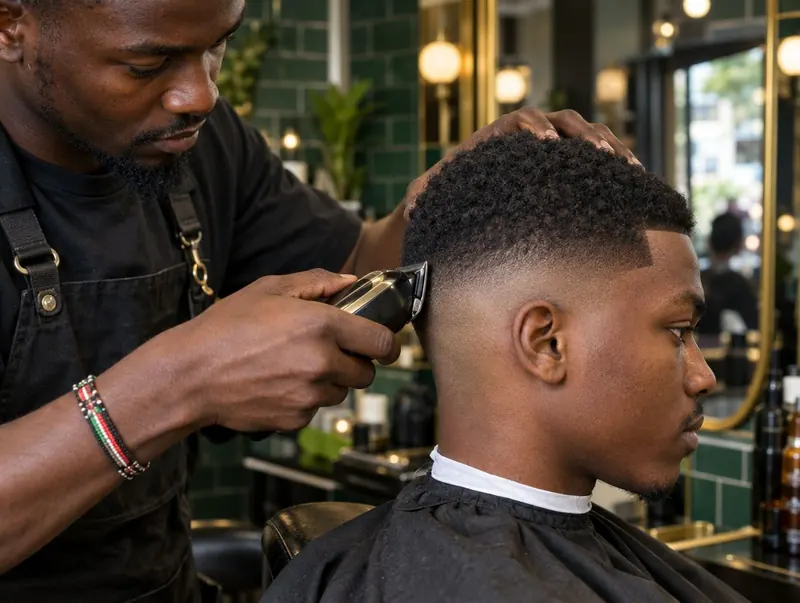
Give bookings and walk-ins a place in the same day.
KinyoziHQ provides a booking link for your shop. Customers can choose a service and an available slot, while staff work from the same schedule. Each barber’s working hours, breaks and days off help define what can be booked.
A walk-in still matters. Add the customer to the day’s queue rather than relying on a separate mental list. A full diary is useful only if the team can see how the people standing at the door fit around it.
Use realistic service durations. A fade and a beard trim may take longer than a quick line-up. If every service gets the same short slot, even tidy software will display an unrealistic day.
Make the next visit easy to arrange.
Put your booking link where regulars already find you: your WhatsApp business profile, Instagram bio and Google Business Profile. Give the receptionist the same link, so a booking does not depend on one person’s private messages.
The service menu needs to be understandable on a phone. Name the service, show its price and allow enough time. Our price-list template helps you separate services and add-ons before entering them in the system.
For returning customers, a quick “Would you like the same time in two weeks?” can be more useful than another discount. The client-management workflow connects that next booking to the person’s previous visits.
Handle no-shows before the chair is empty.
Reminders give customers a chance to confirm, cancel or move their visit. Discuss the available reminder channels, message charges and deposit setup for your account in the demo. Agree your cancellation terms, tell customers before they book, and make the rescheduling route easy to find.
A deposit does not guarantee attendance, and a reminder cannot recover every missed visit. The useful question is whether the team gets enough notice to offer that slot to somebody else. A waitlist gives you a way to fill a space when it opens.
Hi Alex, a reminder about your fade with Brian tomorrow at 10:30. If your plans have changed, please let us know so we can move your appointment. See you then.
Keep promotional offers separate from appointment messages. Ask customers how they want to hear from you, and respect requests to stop marketing messages.
The booking is only finished when the sale is recorded.
A completed appointment should lead to a service record, a payment and the correct barber’s earnings. That is why booking software belongs beside your barbershop POS, rather than in a calendar nobody checks at closing.
In the demo, ask us to show the whole sequence. Book a service, add a walk-in, change a barber’s availability, record the payment and find the sale in the owner’s view. It is a better test than looking only at an empty calendar.
Explore the other KinyoziHQ features when you are ready to connect the diary to payments, stock and staff.
Questions worth asking
Can customers still walk in?
Yes. The booking workflow includes a walk-in queue. Your staff still need to record arrivals and give realistic waiting times when appointments and walk-ins overlap.
Is this an app for finding a barber near me?
KinyoziHQ is management software for barbershop owners. Your own booking link lets your customers arrange a visit to your shop; this page is not a directory of nearby barbers.
Can each barber have different working hours?
Yes. Set each barber’s working hours, days off and breaks. Check your actual shift pattern in the demo before rolling it out to the team.
Let’s try your Saturday diary.
Bring your opening hours, service durations and barber rota. We’ll show how appointments and walk-ins fit together.
See the booking system